

We unleash your laptop’s full potential by maximizing performance, reliability, and innovation through expert repair services.
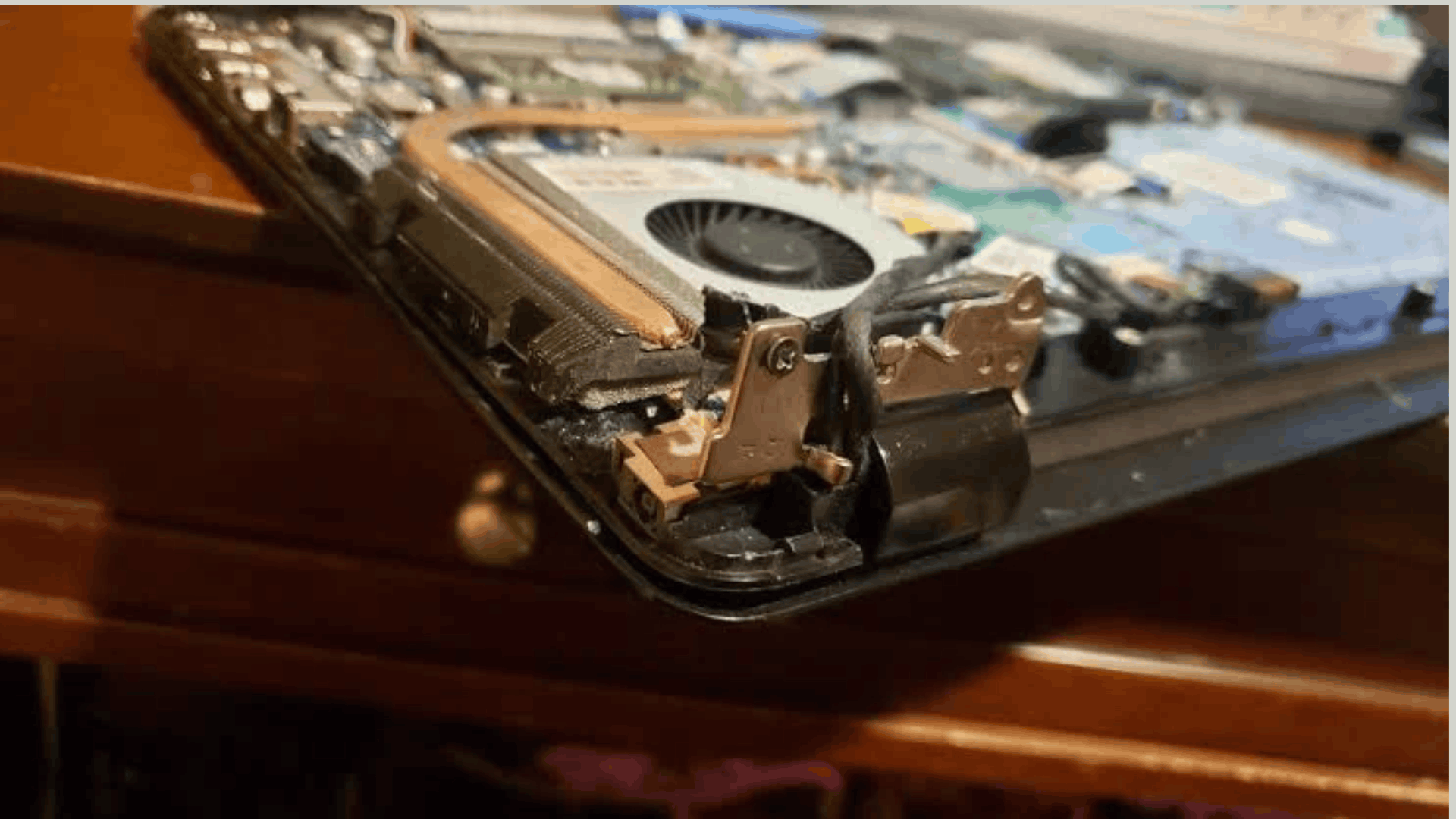
HP Laptop Hinges Repair in R K Puram
AS Laptop Service Centre provides HP laptop hinges repair services in R.K. Puram, Delhi, for customers experiencing broken hinges, loose screen joints, stiff laptop lids, and damaged display frames. Laptop hinges connect the screen to the base and allow it to open and close smoothly. When hinges become damaged, continued use can put extra pressure on the display panel, screen bezel, and laptop body. Timely inspection can help prevent further damage.
Our HP Laptop Hinges Repair Services Include:
➤ HP Broken Hinges Repair: Inspecting broken or detached hinges and determining whether repair or replacement is suitable.
➤ HP Loose Hinges Repair: Addressing loose screen joints that cause the display to wobble.
➤ HP Stiff Hinges Repair: Checking hinges that make opening and closing the laptop difficult.
➤ HP Hinge Replacement: Recommending compatible replacement hinges when the existing parts cannot be repaired.
➤ HP Screen Frame Repair: Inspecting damaged bezels and casing around the hinge mounting points.
➤ HP Hinge Mounting Repair: Assessing broken screw mounts and damaged supporting components.
➤ HP Laptop Body Repair: Checking cracks around the screen and base that may affect hinge stability.
➤ HP Display Cable Inspection: Checking display cable connections that may be affected by hinge damage.
➤ HP Screen Alignment: Assessing screen positioning and movement after hinge-related damage.
➤ HP Laptop Inspection: Examining the laptop model and the extent of damage before recommending a repair.
If you need HP Laptop Hinges Repair in R.K. Puram, contact AS Laptop Service Centre to discuss your laptop problem and arrange an inspection. Repair costs depend on the HP model, the hinge condition, and whether the screen frame or laptop body also requires attention. Avoid forcing a stiff or damaged hinge, as this may cause additional damage to the screen or casing.